How to create a Twitch chat bot
Are you wanting to easily create a chat bot that you can interact with on Twitch?
Here, I'll walk you through the production process of creating a bot.
What do you need to create a bot?
- You need a computer to code the bot
- Basic knowledge with JavaScript
- A host to keep your bot online [Optional and cheap, highly recommended]
Where to start?
Create or login to the account that you want to make your Twitch bot on. Twitch allows bot's to be ran on user accounts (self bots), so you can use any account that you please.
Next step is to turn on 2FA (two factor authentication), this is required to access Twitch Developers.
Then, click here to visit the applications area of the Twitch Developers console.
Then, you can name your bot whatever you want, but make sure to set the callback URL to http://localhost and the Category of the new Twitch Application to be Chat Bot.
Your screen should now look something like this;
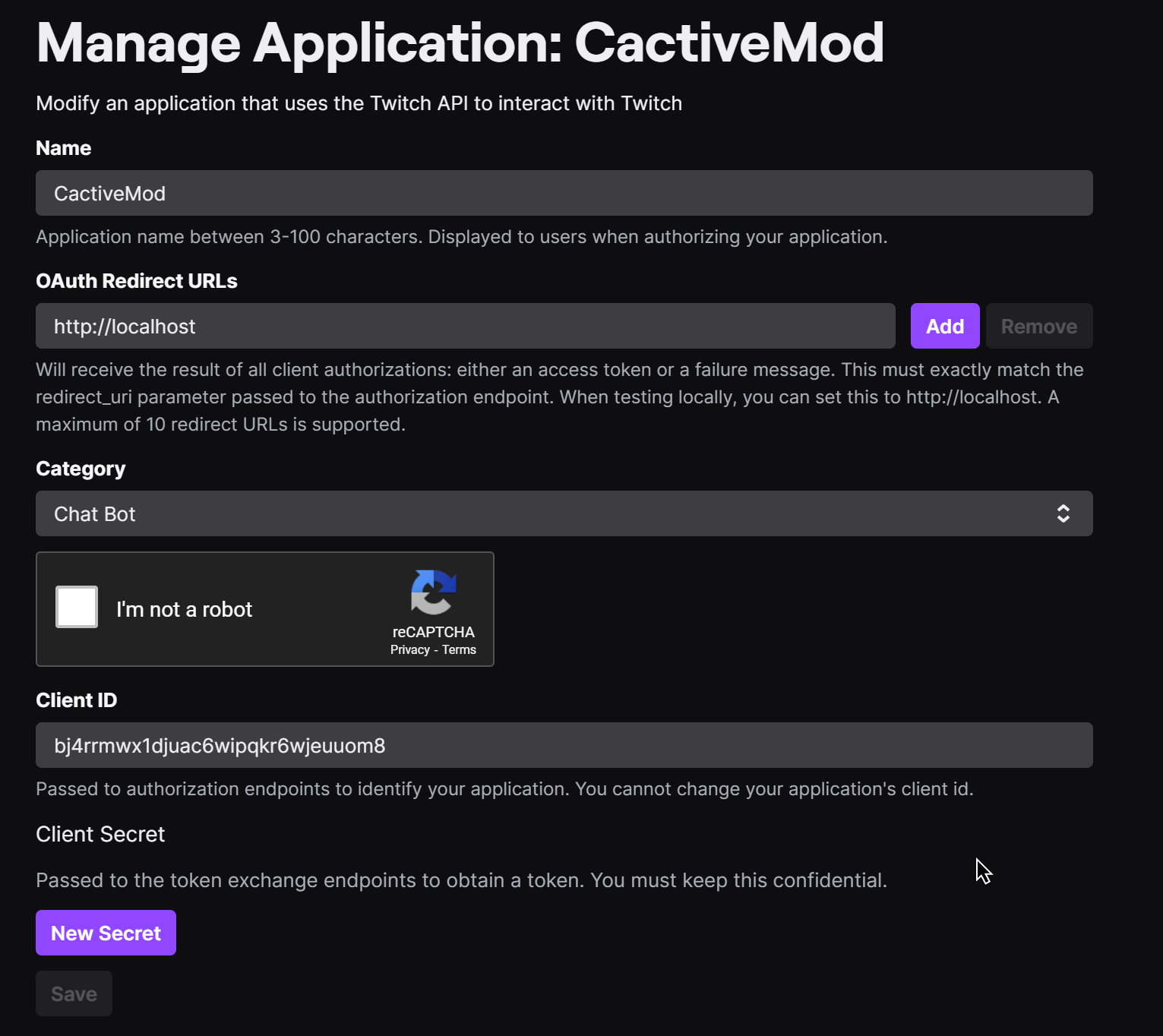
You now want to get your access token for your bot, you want to set <your client ID> to your Client ID.
https://id.twitch.tv/oauth2/authorize
    ?client_id=<your client ID>
    &redirect_uri=http://localhost
    &response_type=token
    &scope=channel:moderate+chat:edit+chat:read
You want to put this into your search and at the top, you should see token=
Copy this token as you'll need it later to get into your bot, (it ends at the & symbol)!
Now you need setup your coding environment.
You want to install Node.js and NPM, this runs JavaScript on your machine, rather than through the web. You can download Node.js by going to nodejs.org.
You also want an coding editor (IDE), I recommend Visual Studio Code as it is free, however if you have a JetBrains licence, I would otherwise recommend using WebStorm as your environment.
After you've installed either
Comments
Post a Comment